NVIDIA announced another set of DLSS changes on October 13. Such announcements are easily reduced to one large performance multiplier, but modern neural graphics comprises several different operations. They affect image quality and smoothness in different ways. A graphics-card owner benefits more from understanding a feature’s availability and behaviour in a particular game than from remembering the most impressive percentage in a headline.
What NVIDIA announced
The October announcement claims a faster 3D-Guided Neural Rendering model and schedules DLSS 5 for Hogwarts Legacy on November 5. It also describes a beta Performance Mode for frame generation. These are manufacturer statements and plans; a future date is not a completed release. The source was checked on October 18, 2026. [s0]
“Faster” must be read alongside the thing being measured. The execution time of one model, final game frame rate and perceived responsiveness are different metrics. Even if one stage becomes much quicker, a frame contains other stages whose work remains. Accelerating part of a pipeline need not deliver the same multiplier to the entire game or every scene.
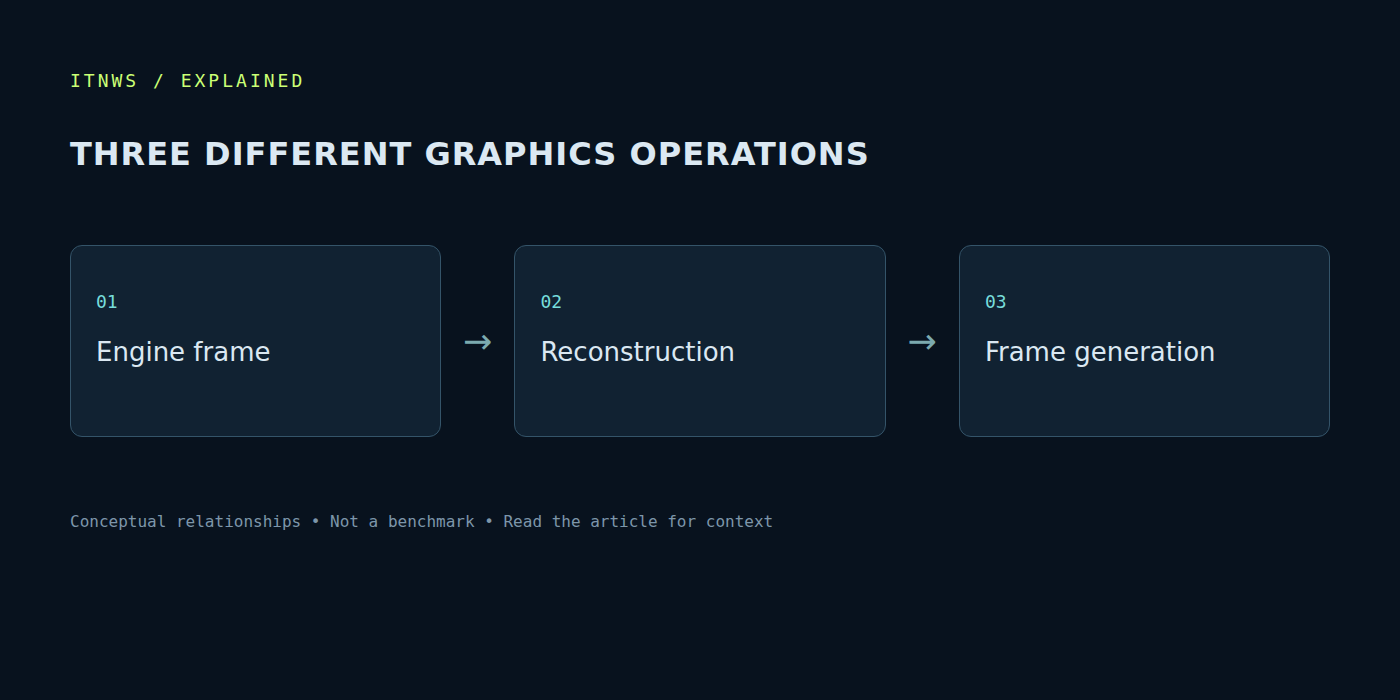
Reconstruction and additional frames are different operations
Image reconstruction and intermediate-frame generation solve different problems. One concerns producing an output image from available information; the other adds images between frames. NVIDIA’s developer documentation distinguishes DLSS capabilities, while its DLSS 4 research discusses interpolation. Sharing a product-family name does not make all these operations identical. [s1] [s2]
Record precisely what is enabled. Internal rendering resolution, reconstruction mode and frame generation can change independently. A comparison labelled only “DLSS on” and “DLSS off” is insufficiently specific. One setting may reduce rendering workload while another processes data already available. The visual result and possible failure modes can differ according to the operation and its particular implementation in a game.
FPS does not fully describe responsiveness
Additional displayed frames can make movement look smoother. Their number is not the same as the number of new game-logic calculations or new responses to input. Base frame rate, processing delay and delivery consistency all matter. In a fast-moving game these can be more noticeable than a higher average counter in the corner of the screen.
Consider a hypothetical scene already responding with substantial delay. Adding intermediate images does not guarantee the cause of that delay will disappear. Conversely, a good result with sufficient baseline performance can look smoother. This explains a principle rather than measuring a particular card. Test camera movement, aiming, interface elements and familiar gameplay situations, instead of judging only a stationary frame.
Assess image quality in motion
A screenshot helps reveal detail but cannot show all temporal behaviour. Thin lines, transparent surfaces, rapidly moving objects and interface elements may behave differently during movement. Use familiar scenes with the same camera and settings. Keep output resolution and viewing scale comparable so the comparison does not accidentally involve different conditions.
Not every visual change automatically improves the experience for every person. Artistic presentation and individual preferences vary. If a game offers several modes, inspect them from the normal viewing distance. A review is useful when it identifies its game and driver versions. An older measurement may not describe a newer integration even when the feature’s name remains unchanged.
Support depends on the complete chain
Before enabling a mode, check the GPU series, driver, management application and game integration. Availability of one DLSS feature does not establish support for another. Distinguish a beta from a stable release. Also identify whether the game applies the change directly or the vendor application overrides it. Those distinctions are essential when diagnosing behaviour and reproducing a problem.
Change one setting at a time and record the starting configuration. Updating a driver, enabling a mode and changing graphics settings together makes the cause of an improvement or problem harder to identify. Save a known working configuration before experimenting. Returning to it helps establish repeatability and separate a random workload variation from the selected feature’s behaviour.
The graphics card remains part of a computer
New processing methods do not remove requirements for video memory, power delivery and cooling. They cannot universally fix a CPU limitation, insufficient system memory or stalls caused by background software. If a game behaves inconsistently, establish the source first. Buying another card without that check can preserve the same problem in a more expensive system.
The editorial lesson is to read a performance multiplier together with the operation measured. We have not independently benchmarked this October update and do not present advertising comparisons as our own results. A decision needs the actual game, hardware support, motion quality and verified responsiveness. Neural features expand the graphics toolbox; the best mode follows the image and behaviour of the real computer.